

5 Best Email Validation Tools to Clean and Verify Your Lists
5 Best Email Validation Tools to Clean and Verify Your Lists
MillionVerifier is the cheapest of these five tools at 100,000 emails ($149), QuickEmailVerification gives the most free checks (100 a day), and Emailable is the fastest on large lists. Each profile below shows what the tool costs for 10,000 and 100,000 emails, so you can compare like for like.
Sending to a dirty list damages the domain reputation your team has spent months building. Validation tools flag invalid addresses, disposable signups and catch-all domains (domains that accept mail for any address, real or not) before a message goes out, and several also flag likely spam traps. All figures come from each provider website as of October 19, 2026.
Email validation tools at a glance
QuickEmailVerification | MillionVerifier | Xverify | Verifalia | Emailable | |
Best for | Free daily checks and developer APIs | Large lists on a budget | Teams that also verify phone numbers and addresses | Choosing between speed and depth | Fast cleaning of big lists |
Accuracy claim | 99% accuracy | 99%+; refund if hard bounces top 4% | 98% across major email providers | 99% accuracy | Under 1% of "Deliverable" results bounce |
Bulk speed | 100,000 in about 1 hour | 100,000 in about 37 minutes | 100,000 in about 3 hours (B2C) | Not published | 40,000+ per minute |
Real-time API speed | Under 1.2 seconds | Under 1 second | Mostly under 1 second | Not published | Not published |
Catch-all handling | Flagged and kept out of "safe to send" | Resolves 30–40% into valid or invalid | Not described | Flagged as risky | Flagged, plus a 0–100 quality score |
Spam-trap detection | Yes | Not listed | No | Yes | Yes ("spam-risk") |
Native integrations | 50+ | 40+ | JavaScript plug-in and API | 6,000+ through Zapier and Pipedream | 50+ |
Security and compliance | ISO 27001; GDPR, CCPA, HIPAA | GDPR; follows SOC 2 controls | GDPR page; data processing agreement on request | German data centers; data processing agreement | SOC 2 Type II; GDPR, CCPA |
All figures are company claims from each vendor's website; the compliance row is company-stated too, so confirm current status before handling regulated data. GDPR compliance means a company has aligned its data handling with EU law, while ISO 27001 is an audited, third-party certification for information security, so teams in finance or healthcare usually need both.
1.QuickEmailVerification
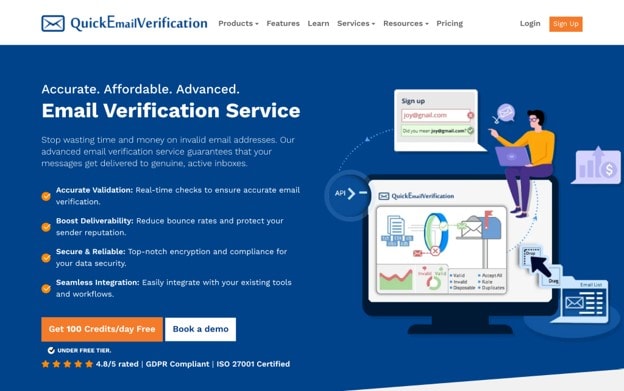
QuickEmailVerification is an email verification and list-cleaning platform, founded in 2014, that checks addresses in real time to cut bounce rates and protect sender reputation. The company says it has verified more than 30 billion emails for 300,000+ businesses, including PwC, IBM, Salesforce and Adobe.
- Verification options: Bulk lists go in through drag-and-drop, a direct email-platform connection or an API batch upload, at about 100,000 emails per hour. Single-address checks run through a REST API that responds in under 1.2 seconds.
- What each check returns: 15 data fields, including result, reason, disposable status, role status, MX records and a typo suggestion. A safe_to_send field gives one yes-or-no answer that already excludes disposable, role-based and catch-all addresses, so developers don't have to write that logic.
- Risk detection: Flags disposable addresses, syntax errors, catch-all domains and role-based addresses such as info@. Retry checks run again on addresses that couldn't be confirmed the first time, which can turn "unknown" results into clear ones.
- Integrations and support: 50+ native integrations, a sandbox endpoint for testing without credits, and SDKs for PHP, Python, Node.js, Ruby, Go, Java, C# and VB.Net.
- Pricing: 10,000 emails cost $60 and 100,000 cost $320. The smallest purchase is $4 for 500 credits, and pay-as-you-go credits never expire. You get 100 free checks every day with no card, about 3,000 a month, and unknown results aren't charged.
- Limitations: At 100,000 emails it costs about twice as much as MillionVerifier. Uploaded lists are deleted after 90 days, so download your results promptly.
2. MillionVerifier
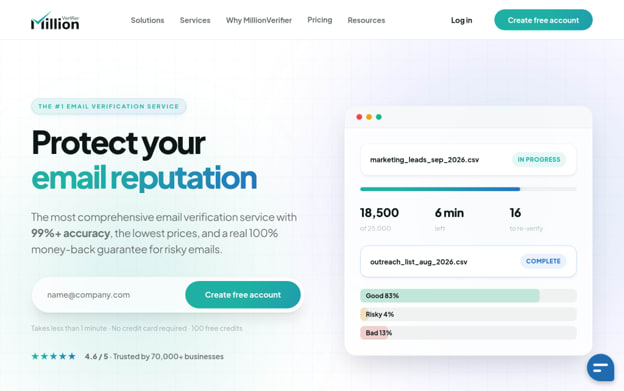
MillionVerifier is a low-cost email verification platform built by deliverability specialist Tamás Hám-Szabó and used by 70,000+ businesses. Since October 19, 2026, it has been run by Southern Vector Limited, a New Zealand company, and it says the team, prices and guarantee stay the same.
- Verification options: Bulk lists run at about 100,000 in about 37 minutes, so 1 million take roughly six hours. The API responds in under a second. EverClean re-checks new contacts every day inside connected Mailchimp, HubSpot or ActiveCampaign accounts and removes bad ones, so a list stays clean without manual re-uploads.
- What each check returns: A status of valid, invalid, risky, disposable, role-based, catch-all or free provider, plus typo detection.
- Risk detection: Its built-in catch-all check turns 30–40% of catch-all addresses into a clear valid or invalid result for the normal one credit. MillionVerifier claims 99%+ accuracy and refunds your last payment if the hard-bounce rate tops 4% after you verify a list. It doesn't list spam-trap detection.
- Integrations and support: 40+ integrations, a 24/7 chat assistant and live human support during business hours. Every account gets free access to EmailAcademy PRO, a deliverability training course.
- Pricing: 10,000 emails cost $39 and 100,000 cost $149. The smallest purchase is 10,000 credits for $39, and credits never expire. You get 100 free credits on sign-up with no card, and unknown results and unresolved catch-alls aren't charged.
- Limitations: The 10,000-credit minimum is poor value for small lists, and live human support runs during business hours only.
3. Xverify
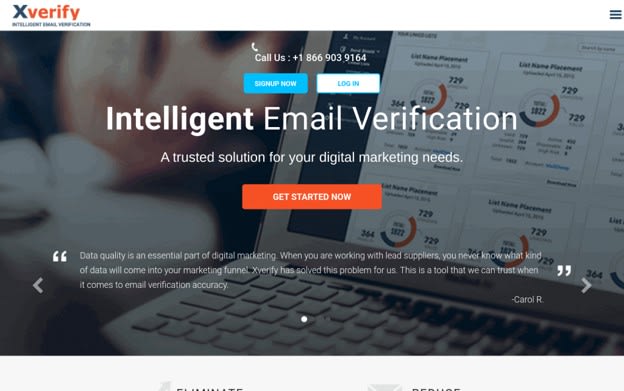
Xverify is a real-time email, phone and address verification service from Xverify Inc. of Northbrook, Illinois, active since 2011. The mix suits lead-capture teams that clean several types of contact data in one workflow.
- Verification options: Email checks run through a JavaScript plug-in for web forms, an API, a drag-and-drop uploader, or FTP. Most responses take under a second, but B2B addresses can take longer, and a check that runs past 7 seconds is marked "unknown". A list of 10,000 takes 15–20 minutes, and 100,000 consumer addresses take about 3 hours, or roughly twice as long for business addresses.
- What each check returns: A valid, invalid or unknown result, with automatic typo correction (for example, "Yahooo" to "Yahoo"). Xverify doesn't cache results, so every check is a fresh lookup.
- Risk detection: Flags temporary and disposable accounts, addresses linked to fraud or chargebacks, and "complainers", people likely to report your messages as spam. It claims 98% accuracy across major email providers. It says no tool can reliably detect spam traps, and its site doesn't describe catch-all handling.
- Integrations and support: Phone support and live chat; the site doesn't list support hours. API documentation is public.
- Pricing: 10,000 emails cost $70 and 100,000 cost $400. The smallest purchase is $5 for 500 verifications, with no minimum or setup fee, and volume discounts apply based on monthly total. You get 100 free verifications, and unknown results aren't billed. Xverify doesn't say whether credits expire.
- Limitations: Bulk cleaning is slower than most tools here, and 100,000 emails cost more than twice as much as at MillionVerifier.
4. Verifalia
Verifalia is an email validation service from Italian software company Cobisi Research. It has been running since 2005 and says it serves more than 100,000 customers.
- Verification options: Bulk uploads accept CSV, Excel and text files up to 100MB, or pasted lists. A real-time API, a 9KB JavaScript widget for web forms and a Google Sheets add-on cover single checks. Three quality levels trade speed for thoroughness: Standard makes one pass, High makes three and Extreme makes nine, retrying addresses whose mail servers are slow to answer. Speed figures aren't published.
- What each check returns: Each address is labeled Deliverable, Undeliverable, Risky or Unknown, and one of more than 40 status codes explains why. Typo suggestions are included.
- Risk detection: Flags spam traps, role accounts, catch-all servers, disposable and free-provider addresses. It claims 99% accuracy.
- Integrations and support: 6,000+ apps through Zapier and Pipedream, SDKs for .NET, Go, Java, JavaScript, PHP and Ruby, live chat, and priority support on its top three plans. Data is stored in German data centers and deleted after a retention period you set, from 5 minutes to 30 days.
- Pricing: The exact prices for 10,000 and 100,000 emails appear only in the pack calculator on Verifalia’s pricing page. Credit packs run from 500 to 10 million credits, get cheaper per credit as they get bigger, and never expire. A free plan gives 25 checks a day, and paid plans give 250 to 25,000 free daily credits that expire each night at midnight GMT. Duplicates are free.
- Limitations: Deeper checks use more credits: Standard costs 1 credit per address, High costs 2 and Extreme costs 4, so thorough cleaning costs more than the headline rate. Yahoo checks were disrupted in April and May 2026 after Yahoo changed its security, and Verifalia says they are fixed.
5. Emailable
Emailable is a New York-based email verification platform, founded in 2017, that says it has verified more than 15 billion emails for 300,000+ customers, including Disney, Pfizer and SAP.
- Verification options: Bulk lists run at 40,000+ emails per minute, and a 250,000-address list finishes in under 7 minutes. Bulk jobs can notify your system through webhooks, a real-time widget checks web forms, and client libraries cover Node.js, Ruby and Python. It doesn't publish an API response time.
- What each check returns: Extra data beyond a status: the email provider, MX records, a likely first and last name, a 0–100 quality score and "did you mean" typo suggestions.
- Risk detection: Ten result categories: Deliverable, Undeliverable, Risky, Unknown, Duplicate, Disposable, Free, Role-based, Accept-all (another name for catch-all) and Spam-risk. Emailable promises that under 1% of addresses it marks "Deliverable" will bounce.
- Integrations and support: 50+ native integrations. The same credits also pay for inbox-placement reports and blacklist monitoring.
- Pricing: 10,000 emails cost $60 and 100,000 cost $420. The smallest purchase is $38 for 5,000 credits, pay-as-you-go credits never expire, and a monthly subscription takes 15% off. You get 250 free credits on sign-up, and unknown results and duplicates are refunded to your balance.
- Limitations: It has the highest price at 100,000 emails of the four tools that publish one. Catch-all addresses are flagged and scored, not resolved into a clear valid or invalid result.
Which email validation tool fits your team?
The right tool depends on list size, workflow and how much risk your sending can tolerate. Match your main need to a tool:
- Lowest cost on a large list: MillionVerifier. At 100,000 emails it costs $149, against $320 for QuickEmailVerification, $400 for Xverify and $420 for Emailable. Verifalia's price depends on pack size.
- Fastest turnaround on very large files: Emailable, at 40,000+ emails per minute.
- Signup and checkout forms: Pick a tool with a real-time API that answers in under a second, such as MillionVerifier. QuickEmailVerification (under 1.2 seconds) and Xverify (mostly under a second) are close behind.
- Business lists full of catch-all addresses: MillionVerifier, which resolves 30–40% of them into a clear valid or invalid result.
- Phone numbers and postal addresses as well as email: Xverify.
- Control over thoroughness: Verifalia, where you choose how many retry passes each check makes.
- Testing before you pay: QuickEmailVerification gives 100 free checks every day and Verifalia gives 25. The others give a one-time batch of free credits.
- Regulated data: Compare the security and compliance row in the table at the top, and verify current status with the vendor.
What to look for in an email validation tool
Most validators make the same promise: you upload a list and get a cleaner one back. The differences are how thoroughly each tool checks addresses, how it treats the ones it can't confirm, and how well it fits your workflow. Compare these seven factors:
- Verification depth: A syntax check catches typos like "gmial.com" but can't tell you whether a mailbox exists. Look for tools that also check the domain's MX records (the settings that route its mail) and run an SMTP check, which confirms the inbox is live without sending a message.
- Catch-all handling: A basic check marks every address on a catch-all domain as valid. Stronger tools flag these as "accept-all" or "risky", or try to resolve them.
- Risky address detection: Disposable inboxes, role-based addresses (info@, support@) and spam traps can pass a simple check and still hurt your sender reputation. A good tool labels each type so you can decide what to keep.
- Bulk and real-time options: Bulk uploads clean the lists you already have. A real-time API checks addresses at signup so bad data never reaches your list.
- Integrations: Direct connections to your email platform or CRM, such as Mailchimp, HubSpot or Klaviyo, save you exporting and re-importing CSV files before every campaign.
- Pricing model: Pay-as-you-go credits suit occasional cleanups, and monthly plans usually cost less at steady, high volumes. Check whether unused credits expire.
- Data privacy: You're handing over customer contact data, so check how long uploads are kept and whether they're deleted automatically. The table at the top lists each tool's certifications.
No tool wins on all seven, so rank them by what matters most to your team.
When to verify your email list
Addresses go bad as people change jobs or abandon their inboxes, so a one-time check won't keep a list clean. Verify at these points:
- Before a large campaign: Remove invalid addresses before they turn into bounces.
- After importing contacts: Check lists from events, an old CRM or another team before you merge them with your main list.
- Before a re-engagement campaign: Long-inactive addresses are the most likely to be dead or to have become spam traps.
- Every few months: Re-check sooner if your bounce rate starts to rise.
Choosing the right email validation tool
Shortlist two or three tools that match your volume, workflow and data requirements. Then run the same sample of your own list through each one on its free tier, and compare the results side by side. That shows how each tool handles your real contacts, which published figures can't. Before you pay, check the vendor's current pricing page, since prices change.
Want to publish a guest post on aamax.co?
Place an order for a guest post or link insertion today.
Place an Order