

Data Extraction Tools for AI Training: Web Scraping Solutions for LLM Development
Best Data Extraction Tools for AI Training: Web Scraping Solutions for LLM Development
If you're building an AI model or training a language model, you already know the truth: your model is only as good as the data feeding it. But getting quality training data at scale? That's where things get messy. Most AI teams spend more time collecting and cleaning data than actually building models. Let's talk about how to automate that painful process and get your data pipeline working smarter, not harder.
Why Quality Data Drives AI Model Performance
Here's the reality: you could have the most sophisticated model architecture in the world, but if your training data is garbage, your model will be too. It's that simple.
Quality data matters because AI models learn from patterns in the data you give them. When you're training a language model, for example, you need diverse examples from different sources: forums, articles, documentation, social media, product reviews. Each source teaches the model something different. The more varied and representative your training data, the better your model generalizes to real-world problems.
Scaling matters too. Small datasets might work for experiments, but production models need millions of training examples. That's why most AI teams can't rely on manual data collection anymore. You need infrastructure that can pull from multiple sources consistently, handle failures gracefully, and deliver clean, structured data without breaking down every time a website changes its layout.
The best-performing teams aren't necessarily the smartest researchers. They're the ones who invested in robust data pipelines early.
Common Challenges in Sourcing Training Data
Let's be honest: collecting training data at scale is hard.
First, you're fighting anti-bot defenses. Websites don't want you scraping them. They use Cloudflare, rate limiting, CAPTCHAs, and JavaScript rendering to block automated access. Getting through those defenses without your pipeline breaking is a constant challenge.
Second, data is messy. Even when you successfully pull data from a website, it's usually mixed with HTML junk, advertisements, and formatting noise. You need to parse it, extract the relevant bits, and validate it before it's actually useful for training.
Third, there's the maintenance nightmare. Your extraction code works fine today, but next month the website redesigns and your selectors break. Suddenly you're getting null values in your data pipeline and nobody notices until your model starts degrading. That's the real cost of manual scraping at scale.
Finally, compliance matters. You need to respect robots.txt, understand the legal implications of scraping each source, and ensure you're not violating data privacy regulations. Building that into your infrastructure from day one saves headaches later.
Extraction Approaches and Infrastructure
There are generally two ways to extract data: APIs and scraping.
API-Based Extraction is the easiest path when it's available. Platforms like Google, Amazon, and YouTube provide APIs that return structured data directly. No HTML parsing, no dealing with JavaScript rendering. You call the endpoint, get JSON back, and you're done. The downside is you're limited to whatever platforms have APIs, and you're dependent on those platforms not breaking their contracts.
Headless Browser Solutions let you scrape modern web apps that load content with JavaScript. You're essentially running a real browser in the background, letting it execute JavaScript, then extracting the rendered HTML. It's more powerful than API-based extraction but slower and more resource-intensive. You're paying more per request, so it's usually a last resort for high-value data sources.
Most successful teams use a hybrid approach: APIs where available, custom scraping for the rest. To dive deeper into these methodologies, check out our web scraping guide for step-by-step approaches on building reliable extraction infrastructure.
Top Data Extraction Tools for AI Training
Here are the platforms that can actually get your data extraction done. We'll start with our top recommendation, then cover alternatives worth considering.
1. Scrape.do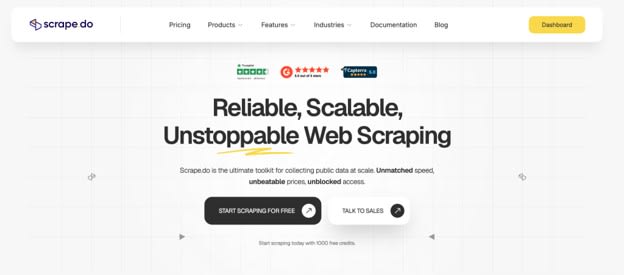
If you're building a data extraction pipeline for AI training, Scrape.do is a solid choice to start with. It strikes the best balance between ease of use, cost, and scalability.
What makes it work: Scrape.do provides a Web Scraping API that handles the infrastructure headaches for you. Built-in proxy rotation blocks anti-bot systems. CAPTCHA handling is automatic. They report a 99.98% success rate, which matters when you're running millions of requests.
Ready Scraper APIs are the real win. Need Google Search data, Amazon products, YouTube metadata, or Google Shopping prices? Call the endpoint and get structured JSON. No HTML parsing. No Cloudflare battles. No broken selectors when the site updates. That's huge at scale.
The pay-for-success model works in your favor. You only pay for successful requests. Failed requests are free. When collecting millions of training examples, that cost predictability matters.
Best for: Teams wanting balanced cost, capability, and ease of use.
2. Bright Data
Enterprise-grade residential and mobile proxies with 400+ million residential IPs globally. Bright Data gives you massive infrastructure for building custom extraction logic at massive scale. They handle the proxy infrastructure, rotation, and geo-targeting. You handle the parsing and data pipeline.
Here's why teams choose it: You get access to real residential IPs from actual devices, not datacenter proxies that websites can block easily. Mobile IPs are included, so you can scrape mobile versions of websites. Geo-targeting lets you collect location-specific data. They also provide browser automation APIs and JavaScript rendering for complex websites.
The pricing is higher than Scrape.do, but for enterprise teams collecting billions of records, the infrastructure quality justifies the cost. You're paying for access to 400+ million IPs and zero IP blocks. When you're training models at scale, zero blocks means no pipeline failures.
The learning curve is steeper because you're building custom extraction logic. You need Python or JavaScript skills. But once you're set up, you have maximum flexibility.
Best for: Enterprise teams managing custom extraction logic at massive scale, teams needing real residential IPs, projects collecting billions of records.
3. Apify
Pre-built solutions without coding. Apify operates as an actor marketplace where other developers have built scrapers you can use directly. Want to scrape Amazon, Google, Facebook, LinkedIn? Find the actor, plug in your settings, run it, get structured JSON.
What makes it different: The visual workflow builder means you can combine pre-built actors without touching code. Schedule recurring scrapes, set up data pipelines, integrate with Google Sheets or webhooks. The platform handles infrastructure, proxies, and retries automatically.
Pricing scales with usage and actor complexity. Popular actors are well-maintained and documented. Less popular ones might have bugs or break when websites change.
Real use case: A team building AI models on LinkedIn data uses Apify's LinkedIn scraper to collect profile information, job postings, and career histories. They run it monthly, get clean JSON, and feed it directly into their training pipeline.
Best for: Teams wanting pre-built solutions without coding, mid-market companies, projects with common data sources, teams without Python expertise.
4. Octoparse
The no-code option. Download the app or use the cloud version. Point and click to select data, Octoparse learns the pattern and extracts similar data from other pages. No HTML selectors, no regex, no coding at all.
It's genuinely beginner-friendly. Perfect for exploring a new data source without committing resources. Perfect for teams with non-technical stakeholders who need to pull data themselves.
The downside is scalability. Octoparse runs slower than API-first tools. Cloud version has limits on concurrent tasks. When you're collecting millions of records for AI training, the performance limitations become real.
Real use case: A real estate team uses Octoparse to scrape property listings from competitor websites for market analysis. They don't need massive scale. They just need quick, reliable extraction without hiring developers.
Best for: Small-scale projects, teams exploring new data sources, non-technical users, rapid prototyping, datasets under a million records.
5. Diffbot
AI-powered extraction that automatically understands what content means. Instead of telling the system "extract the text in this div," you tell Diffbot "extract all articles" and it figures out the structure automatically.
How it works: You send a URL to Diffbot's API. Computer vision and NLP identify articles, products, entities, and relationships. You get structured JSON with the content already parsed. No broken selectors. No maintenance when the website redesigns.
The accuracy is genuinely impressive for messy, unstructured content. Real use case: A team training a financial news model needs to extract articles from dozens of news sites with different designs. Diffbot automatically parses all of them correctly without custom logic for each site.
Pricing is premium because you're paying for AI processing. But for complex, unstructured data, the accuracy and zero-maintenance upside is worth it.
Best for: Unstructured data extraction, news and article scraping, product catalog extraction, complex parsing needs, projects where accuracy matters more than cost.
Quick Comparison: Start with Scrape.do for balanced needs. Choose Bright Data for massive enterprise scale. Pick Apify or Octoparse for ease of use. Go with Diffbot for AI-powered accuracy.
Implementing Data Extraction in Your AI Pipeline
Getting this right comes down to thinking of data extraction as infrastructure, not a one-time task.
Start by defining exactly what you need. What sources? How many records? How often do you need fresh data? What format does your training pipeline expect? Answer these first.
Next, evaluate compliance. Read the terms of service for each source. Understand robots.txt. Talk to your legal team if you're in a regulated industry. This matters more than you think.
Then build the architecture. How will you orchestrate extraction? How do you handle failures? Where do you validate data quality? How do you deduplicate records? How do you integrate with your actual training pipeline? These questions matter.
Finally, monitor and maintain. Set up alerts for pipeline failures. Keep logs of what you're extracting from where. When websites inevitably change, update your selectors. When success rates drop, investigate why.
The teams shipping AI models faster are the ones who invested in this infrastructure early. It seems like overhead until you realize you're spending 70% of your project time on data prep instead of modeling.
Conclusion
Building production AI models requires reliable, scalable data extraction. Manual collection doesn't work at scale. You need automation.
The good news is the tooling has matured. You have options that handle anti-bot defenses, deliver structured data, and cost less than building in-house. Start with clear data requirements, pilot with free tiers, then scale based on what works.
Your model is only as good as your data. Invest in the pipeline.
Want to publish a guest post on aamax.co?
Place an order for a guest post or link insertion today.
Place an Order