


Cloud Accounting Services in Hong Kong: A Small Business Guide
A small Hong Kong trading company might keep sales invoices in a Word template, supplier receipts in a drawer or messaging thread, and bank statements as monthly PDFs.
Bringing those records together can mean an evening spent copying figures into a spreadsheet.
Cloud accounting for small businesses brings those records into an online system.
The software is hosted on remote servers rather than installed only on one computer, so the owner, bookkeeper and accountant can access the same records.
Choosing the software settles only part of the question. Someone still has to record transactions, check them and prepare the figures that tax and audit work depend on.
Decide who will do that work before choosing a subscription.
Key takeaways
- Match the system to the bank accounts, currencies and sales tools you use.
- Scope professional support separately from the subscription. Check which bookkeeping, accounting, tax and audit services are included.
- Protect access and verify balances before relying on the new system.
What cloud accounting changes, and what it does not
Take one sale. You raise an invoice in the software, email it to the customer, and the customer pays by bank transfer. With a supported bank connection, the receipt can appear in the software and be matched to the invoice.
Bank reconciliation means comparing recorded transactions with bank statements and resolving differences, including missing or duplicated entries.
Less retyping. Bank transaction imports reduce manual entry of statement lines. Xero documents direct bank feeds from HSBC Business Banking accounts, for example.
This confirms that specific connection, so check support for your exact bank accounts before committing.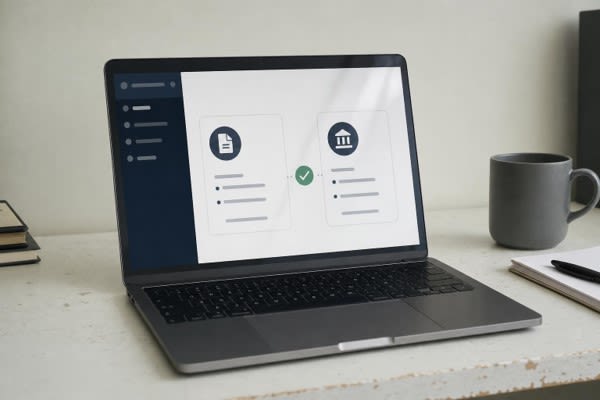
More useful records. A current cash figure is convenient, but a bank balance is not profit. Reports become useful once transactions are complete, supporting documents are available, and someone has reviewed how entries were categorised.
Imported and automatically matched transactions still need review. Automation cuts data entry but not judgement, a point that comes up in most comparisons of manual and automated accounting.
The responsibilities remain. The Inland Revenue Department requires prescribed business records to be kept for at least seven years.
The Companies Registry states that eligibility for simplified reporting does not remove a company's audit requirement; dormant companies are the stated exception.
Confirm the requirements for your business structure. A software subscription alone does not cover tax preparation or a statutory audit.
Online access also depends on an internet connection, so plan how you will work during an outage.
Separately, the first phase of mandatory electronic profits-tax filing, which began on 1 April 2026, applies to relevant entities of in-scope multinational groups. It does not create a universal requirement for small businesses.
Choose the support your business needs
Before comparing software plans, decide how much bookkeeping you can handle and where you need professional help. These three arrangements offer a starting point.
| Arrangement | Who records and reviews | Suits |
|---|---|---|
| Software managed by the owner | You record and review; an accountant may help at year end | Low transaction volume and time to keep up weekly |
| Software with periodic accountant review | You record; an accountant checks monthly or quarterly and makes adjustments | Owners who can maintain records but need help reviewing them |
| Ongoing outsourced bookkeeping and reporting | A provider records, reconciles and sends reports; you review and approve | Growing transaction volume, payroll, or limited time for bookkeeping |
Check the plan against your needs. List every bank account, your monthly invoice volume, the currencies you bill in, who needs access and which sales or payment tools must connect.
Xero's Hong Kong pricing page lists multicurrency under its Premium plan. As of 13 October 2026, it showed a regular Starter price of US$29 per month after the introductory offer. These are software fees in US dollars.
The vendor has announced a subscription price increase effective 1 November 2026, so confirm the current price, billing currency and renewal terms before budgeting.
Compare the full scope. Service models differ. Osome describes using tools it developed itself, while other providers work in separately selected accounting software.
For businesses considering outsourced accounting in Hong Kong, Flink lists setup and migration of Xero and compatible cloud platforms alongside bookkeeping, reporting, payroll and MPF administration.
MPF is the Mandatory Provident Fund, Hong Kong's compulsory retirement scheme. Flink's published onboarding steps include agreeing a fixed-fee package; request a quote for the work your business needs.
When comparing providers of accounting services hong kong, treat Flink as one commercial option and ask for a written scope separating software, bookkeeping, payroll and audit support.
Ask each provider for a written scope that separates:
- the software subscription and who pays for it;
- setup, migration and cleanup of historical records;
- monthly bookkeeping and the reports you will receive;
- payroll and MPF administration, if you employ staff;
- tax computation and return preparation;
- audit coordination and whether the independent auditor's fee is included.
Flink's bookkeeping and reporting services can help organise records for audit preparation.
Confirm who prepares the supporting schedules and coordinates with the auditor. The appointed auditor performs and signs the statutory audit, so identify that role and fee separately in your budget.
Move your books without losing control

Agree the migration tasks, responsibilities and checks before moving records into the new system.
- Gather records. Xero's Hong Kong guidance recommends collecting the chart of accounts, opening balances and recent transaction history. The chart of accounts is the list of categories used to organise transactions. Opening balances are the figures each account holds when the new system starts, such as cash at bank, unpaid customer invoices and unpaid supplier bills. Keep the supporting documents.
- Agree a cutover date and responsibilities. Decide who enters historical data, who sets up the chart of accounts, and from which date new transactions go only into the new system. Record these decisions with the person handling the migration.
- Configure access. Connect the bank accounts you confirmed earlier, give each user an individual login with the permissions their role needs, and enable multi-factor authentication (MFA). MFA adds an access safeguard if a password is compromised, although it cannot prevent every security incident.
- Verify balances. After importing records, check that balances match the backup. Compare bank, receivables and payables totals against the old records and investigate differences before relying on reports. If you run both systems in parallel for a short period, identify which holds the authoritative records so transactions are not entered twice.
- Agree the ongoing routine. Decide how receipts reach the bookkeeper, how often transactions are reviewed, which reports arrive and when, and how your seven-year archive stays accessible. If Flink handles your setup and migration, include subscription ownership, data exports and handover arrangements in that planning. Confirm these terms rather than assuming they are included. For employers, the MPFA announced on 9 May 2026 that all MPF schemes had onboarded to the eMPF platform by the end of April 2026. Specify who submits contributions through the platform.
Want to publish a guest post on aamax.co?
Place an order for a guest post or link insertion today.
Place an Order