

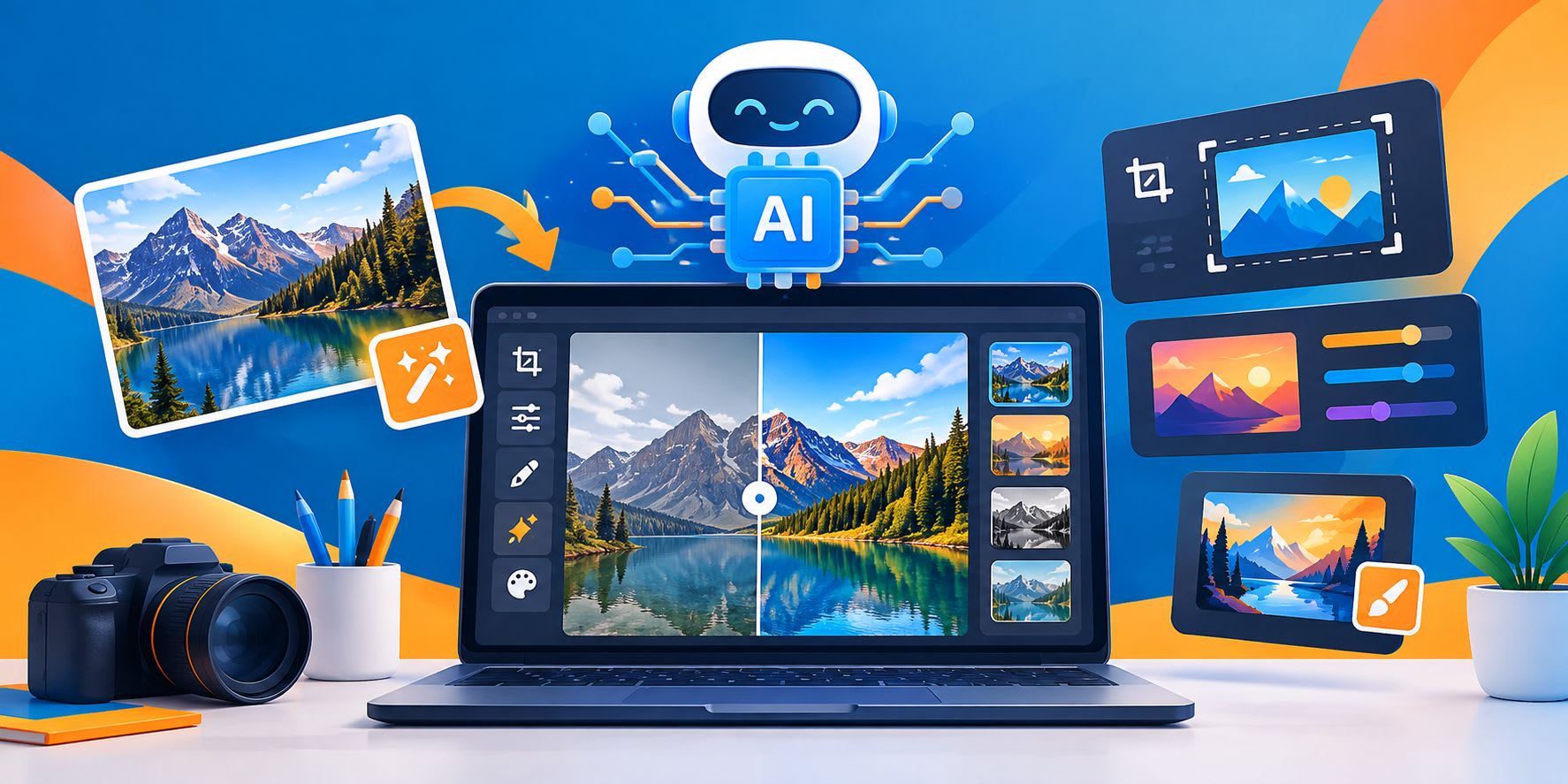
Best AI Image Editors of 2026
An AI image editor used to mean a filter pack with good marketing. In 2026 it usually means something different: you describe a change in plain language, and a model applies it to your photo. You can remove a sign, swap a background, fix a blemish, or restyle a whole scene without touching a layer.
That shift has produced a crowded market of AI-native tools built specifically around prompt-driven editing, rather than legacy design suites that bolted AI onto an existing product. This guide compares seven of those AI-first editors and puts Magic Hour first. The ranking depends on how much weight you give breadth and workflow, and each entry lists pros, cons, and the situations where a different tool is the better pick.
A note on sourcing: we did not run hands-on tests for this article. It draws on public product pages, pricing pages, and help documentation reviewed on September 24, 2026. Features and pricing change often, so confirm the details with each vendor before you commit.
Quick Comparison Table
Rank | Tool | Best for | Standout strength | Main trade-off |
1 | Magic Hour | Creators and teams who want editing, face tools, and video in one place | Multiple frontier models, no-signup trial, image-to-video, API | Not a layer-based editor for pixel-level manual control |
2 | Photoroom | Product and e-commerce photos | Background removal, batch work, marketplace-ready output | Narrower focus than general editors |
3 | Luminar Neo | Photographers who prefer desktop software | AI-assisted photo enhancement on your own machine | Less suited to prompt-driven creative transformations |
4 | Leonardo AI | Concept art and generative exploration | Generation-first platform with canvas editing | Editing is secondary to generation |
5 | Freepik AI Suite | Designers who need stock assets plus editing | Large asset library paired with AI editing tools | Editing tools are newer and less mature than dedicated editors |
6 | PicsArt | Mobile-first casual editing | Large mobile user base, quick social-ready edits | Less depth for professional or high-volume workflows |
7 | Fotor | Simple background and object edits | Easy interface for quick fixes | Fewer advanced or multi-model options |
How We Chose These Tools
The goal was a list that helps someone pick a tool, not one that rewards the loudest brand. Each tool was assessed on the same seven criteria.
Editing capability. Can it remove objects, swap backgrounds, retouch portraits, restyle images, and follow natural-language instructions?
Model quality and choice. Does the tool use current models? Can you pick among them, or are you locked into one?
Workflow depth. Can you move from generation to editing to export without leaving the product? Are templates, batch options, or multi-step flows available?
Access and pricing clarity. Is there a free way to try it? Are plans and credit rules easy to understand?
Output rights and data handling. Are commercial-use terms stated plainly? Does the vendor explain how it treats uploads?
Platform reach. Does it work well on desktop and mobile? Is there an API for automation?
Reliability and support. Does the vendor publish uptime figures or a status page? Is support described in specific terms?
Some weaknesses of this method should be stated plainly. Public documentation describes what a vendor says a product does, and it cannot show how the product behaves on your images. This list also focuses on AI-native editors rather than legacy design suites with AI features added on, since the two categories solve somewhat different problems.
Market Trends Shaping AI Image Editing in 2026
Five trends explain much of what separates these products today.
Prompts are replacing masks
Selecting an area, feathering an edge, and matching a texture used to be the core skill of retouching. Prompt-based editing now handles many of these jobs with one sentence. Manual tools still matter for exact work, but the default starting point has moved.
Model aggregation is becoming normal
Users no longer want to bet on a single model. Several platforms now offer access to multiple third-party image and video models inside one interface, rather than tying the product to a single proprietary model. This lets users compare outputs and switch models as quality shifts between providers.
Model churn is real
Underlying models are retired and replaced faster than software features used to be. A model that's state-of-the-art this quarter may be deprecated by a provider within months. A tool that adds new models regularly is more useful long-term than one tied to a single model that may be withdrawn.
Stills are turning into motion
Editing a photo is often the middle step, not the last one. Creators edit an image, then animate it for social platforms or ads. Tools that connect editing to video save time, because the person no longer moves files between separate apps.
Pricing is shifting to credits
Many platforms now use credit-based plans, where different actions cost different amounts. This makes it worth checking three things: how credits are consumed, whether they expire, and what a typical task costs.
The 7 Best AI Image Editors of 2026
1. Magic Hour: Best Overall for Creators and Teams
Magic Hour is a browser-based platform that combines image editing, face tools, and video generation. Its ai image editor takes a photo and a text instruction, then returns an edited version. Typical jobs include removing objects, changing backgrounds, retouching, removing text, restoring old images, and restyling.
What sets it apart is the surrounding toolkit. The same account covers face swap for photos and video, lip sync, talking photos, and character replacement. A finished edit can become a short clip through its image to video ai tool. Editing and animation happen in one product rather than across three subscriptions.
Multiple frontier models in one place. The image editor lists models including Qwen Edit, Nano Banana Pro, Nano Banana 2, Flux 2 Klein, GPT Image 2, and Seedream. The video side lists models such as Kling 3.0, Veo 3.1, Sora 2, Seedance, and LTX 2.5. Some are available only on paid plans. Having several models under one roof lets you compare outputs instead of guessing which model suits a task.
Templates and multi-step workflows. Ready-made templates apply a motion or style concept to your own photo. The generate-then-edit flow lets you refine an image without starting over, and paid models can produce up to 16 images in one run for fast variations. Vendor materials say most edits finish in under ten seconds, though speed will depend on image size and the edit.
Access and pricing. You can try the editor without an account. The site says free users get three edits per day with no watermark on image results. Free video exports are lower resolution (480p) and carry a watermark. Commercial rights come with a paid subscription or a credit-pack purchase.
Paid plans, per the pricing page:
Plan | Monthly billing | Annual billing (per month) | Annual total | Credits per year | Max export quality |
Free | $0 | n/a | n/a | Limited daily credits | Varies by tool |
Creator | $19 | $12 | $144 | 144,000 | 1024px |
Pro | $39 | $25 | $300 | 300,000 | 1472px |
Business | $99 | $66 | $792 | 840,000 | 4K |
Credit packs are also sold, starting at $10 for 4,000 credits. According to the pricing page, credits never expire and unused credits roll over. That removes the "use it or lose it" pressure common with subscription credits.
Platform reach. The editor runs in a browser on desktop, tablet, and mobile, with nothing to install. An API is available on every plan, and the pricing page says it carries the same features and usage levels as your plan. The vendor lists API pricing from $0.009 per image for editing and from $0.023 per second for image-to-video.
Reliability and support. The vendor states 99.9% uptime, more than 50 million API calls, and a public status page. These are vendor figures, and we did not verify them independently. Paid users receive priority support, with typical replies within three hours during Pacific business hours.
Data handling. Magic Hour states that it does not use uploads, prompts, or outputs to train its models. It also publishes retention and deletion terms.
Pros
- Editing, face tools, lip sync, talking photos, and image-to-video in one account
- Several current models to compare, not a single locked model
- Free trial without signup, and image outputs have no watermark
- Credits do not expire, with credit packs for top-ups
- API access on every plan, with parity to the web features
- Works on desktop and mobile browsers
Cons
- The free tier is small, and free video has a watermark and lower resolution
- Premium video models require a paid plan
- Prompt-based editing is less precise than manual masking for exacting jobs
- The wide toolset may be more than you need if you only crop and color-correct
- As with any generative tool, results vary by model and prompt, so review faces, text, and fine detail before publishing
Best for: social creators, marketers, small business owners, and agencies who want one platform for editing, variations, face tools, and short video. It also suits developers who want the same capabilities through an API.
2. Photoroom: Best for Product Photos
Photoroom targets sellers and e-commerce teams. Its strengths are background removal, clean product shots, AI-generated backdrops, and batch processing. It also offers an API for teams that want automation.
Pros
- Purpose-built for product and marketplace imagery
- Batch tools help with large catalogs
- Simple, mobile-friendly workflow
Cons
- Narrow focus compared with general-purpose editors
- Less suited to creative transformations, face tools, or video
Best for: online sellers, catalog managers, and brands producing many similar product images.
3. Luminar Neo: Best Desktop Option for Photographers
Luminar Neo, from Skylum, is a desktop editor that uses AI to speed up common photography tasks such as sky replacement, portrait enhancement, relighting, and object removal. It fits photographers who want to keep files on their own machine and work in a more traditional interface.
Pros
- Desktop workflow with photographer-friendly tools
- AI assists with routine enhancements
- Less dependent on constant cloud processing for core tasks
Cons
- Less centered on free-form prompt editing
- No focus on face swap, lip sync, or video creation
- Licensing options have changed over time, so check the current terms
Best for: photographers who want AI assistance without moving their whole workflow online.
4. Leonardo AI: Best for Generation-First Exploration
Leonardo AI is primarily a generative platform with a canvas for inpainting and refinement. It suits concept artists and creators who want to generate a range of options and then adjust areas of an image.
Pros
- Generation and canvas editing in one environment
- Several styles and models to explore
- Useful for concept development
Cons
- Editing is secondary to generation
- Credit-based usage takes some learning
- Many controls can feel busy for simple photo fixes
Best for: artists and game or concept designers who start with generation and edit second.
5. Freepik AI Suite: Best for Stock-Plus-Editing Workflows
Freepik built its AI tools on top of its existing stock asset library, so editing sits alongside a large catalog of photos, vectors, and templates. This suits people who need both source material and the ability to modify it.
Pros
- Large stock library available alongside editing tools
- Useful for designers already sourcing assets from Freepik
- Multiple AI generation and editing tools under one account
Cons
- Editing tools are newer and less specialized than dedicated AI editors
- Best suited to users who already use Freepik for stock content
Best for: designers and marketers who want stock assets and light AI editing in the same subscription.
6. PicsArt: Best for Mobile and Casual Editing
PicsArt is a mobile-first photo and design app with a large existing user base. It layers AI editing tools, such as background removal and object cleanup, on top of a familiar mobile editing interface.
Pros
- Strong mobile app experience
- Large, active community and template library
- Quick for casual, social-ready edits
Cons
- Less depth for professional or high-volume production work
- Desktop experience is secondary to mobile
Best for: casual creators and social media users who edit primarily from a phone.
7. Fotor: Best for Simple, Fast Fixes
Fotor offers browser-based photo editing with AI features for background removal, object removal, and basic enhancement. It favors a simple interface over deep customization.
Pros
- Easy to learn, with a straightforward interface
- Handles common fixes like background swaps and cleanup quickly
- Works well for quick, one-off edits
Cons
- Fewer advanced or multi-model options than broader platforms
- Less suited to complex, multi-step creative workflows
Best for: people who want a fast, no-frills tool for occasional edits.
Final Recommendations
The best tool depends on the job. Here is how we would decide.
Choose Magic Hour if you want one place for editing, variations, face tools, lip sync, talking photos, and image-to-video, or if you plan to automate through an API. Its no-signup trial makes it easy to check the output on your own images before you commit.
Choose Photoroom for product photography at volume.
Choose Luminar Neo if you prefer a desktop photo editor with AI assistance.
Choose Leonardo AI if you begin with generation and refine afterward.
Choose Freepik if you regularly need stock assets alongside light editing.
Choose PicsArt for quick, mobile-first social edits.
Choose Fotor for simple, occasional fixes without a learning curve.
A practical approach is to run the same three images through your top two candidates: one portrait, one product shot, and one busy scene. Compare how well each follows instructions, how it handles faces and text, and how many attempts you need. Your own images are better evidence than any review.
Frequently Asked Questions
What is an AI image editor?
An AI image editor uses machine learning models to change photos based on instructions, usually typed prompts. Instead of adjusting layers or sliders, you describe the change, such as removing an object or replacing a background, and the model produces a new version.
Can I use AI-edited images commercially?
It depends on the tool and your plan. Magic Hour states that paid subscribers and credit-pack customers hold commercial rights, while users without a purchase are limited to personal use. Other vendors have their own terms, so read the licensing section before using edited images in ads, client work, or product listings. Also make sure you own the rights to the images you upload.
Are free AI image editors good enough?
Free tiers are useful for testing and occasional edits. They usually limit daily usage, resolution, or features. Magic Hour, for example, offers a limited number of free edits per day without signup, and free video exports are lower resolution with a watermark. If you produce content regularly, a paid plan or credit pack usually makes sense.
How do AI-native editors compare with traditional editing software?
Prompt-based editors handle many common tasks quickly, such as cleanup, background swaps, and restyling, often in seconds. Traditional layer-based software still tends to offer more exact, granular control for print-critical or highly detailed composite work. Many creators use both, depending on the task.
Are face swap and lip sync tools safe to use?
They can be used responsibly, but they carry real risks. Only use faces and voices you have permission to use, avoid misleading audiences, and follow each platform's terms and local laws. Label synthetic media where appropriate, especially in advertising or news-related content.
Want to publish a guest post on aamax.co?
Place an order for a guest post or link insertion today.
Place an Order