

Best Tools Every Video Content Creator Needs to Protect Their Work
In today's digital world, creating high-quality video content is challenging. To create quality content, creators invest significant time, effort, and creativity. But it becomes so common to misuse a video once it's published. It can be easily republished, edited, duplicated, and even used without the creator's consent, and, in most cases, creators don’t get credit. That’s why content protection has become a more important concern than before.
Fortunately, there is a variety of online tools available that help creators protect their content. These tools are used for various tasks, including videos that have been copied, checking thumbnails, detecting copyright violations, and securing ownership.
Why Do Content Creators Need Protection Tools?
Whether you are a YouTuber, social media influencer, educator, or marketer, protecting your content is as important as creating it.
If proper protection is not available, your videos can be copied, downloaded, edited, or reposted without your permission. This not only affects ownership but also views, audience trust, and earnings.
Content protection tools help creators in many ways, like:
- Detect copied or reused videos
- Identify the source
- Monitor unauthorized uploads
- Secure ownership
- Report copyright violations
- Protect video thumbnails and images
- Maintain the audience’s trust in original content.
To protect content, a single tool is usually not enough, since different tools serve different situations. In this article, we will discuss, step by step, which tools are useful for creators and how to use them to easily protect your content.
1. Reverse Image Search
Reverse image search helps creators check whether their image or video thumbnail has been used elsewhere on the internet. If someone has uploaded or reused the image without your permission, this tool will identify them.
Key Aspects
- Image upload support
- Search Similar images
- Detect copied thumbnails
- Can be used on both desktop and mobile
How to Use?
Step 1: Go to Google Lens by opening: https://www.google.com/?olud
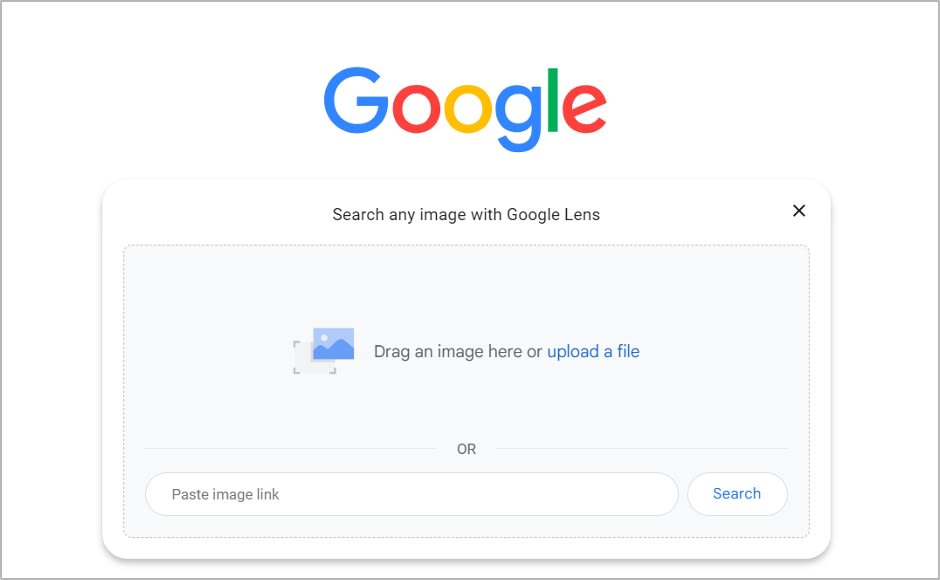
Step 2: Upload an image or a thumbnail.
Step 3: Let the tool analyze.
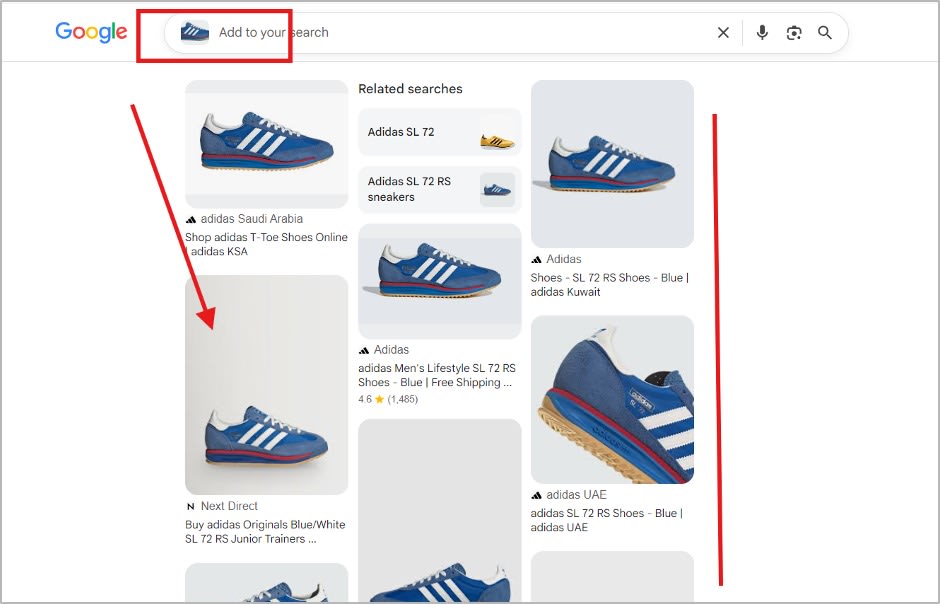
Step 4: Now Google will find similar images, and you can explore the results of whether your image is used on which websites or platforms.
2. Copyright Checker Tool
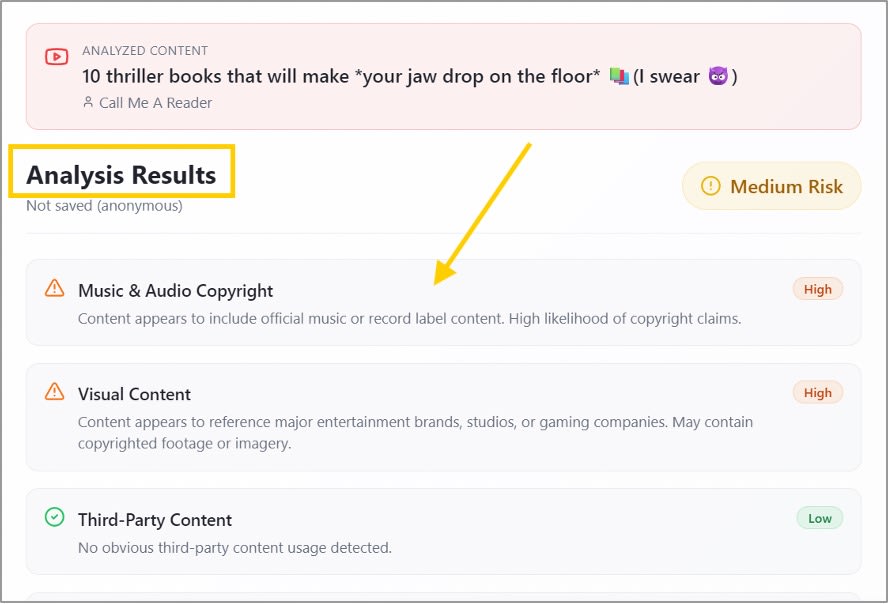
A copyright-checking tool helps creators review their content before publishing and identify potential copyright issues. For this purpose, you can use Tube Copyright to detect potential copyright issues during the upload process.
Key Aspects
- It helps creators review video content for potential copyright issues.
- Supports video checking to identify potential issues.
- Helps creators protect original work from misuse.
- Provides a simple way to manage copyright-related checks.
How to Use?
Step 1: Visit https://tubecopyright.com page in your browser and access the checking feature.
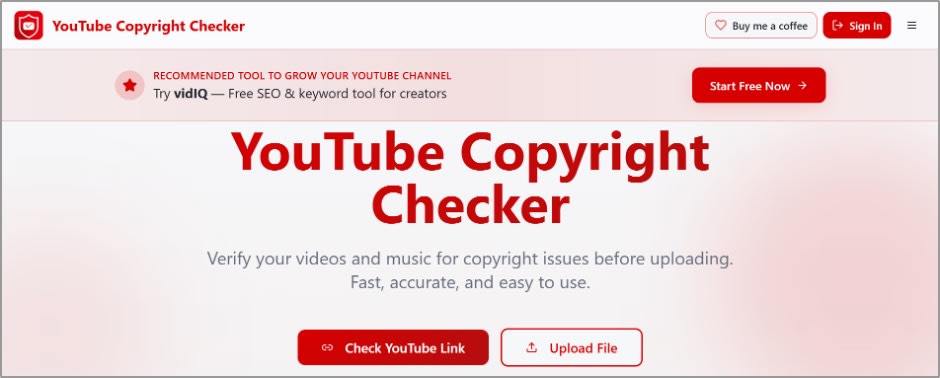
Step 2: You can upload the entire video or paste the URL of a YouTube video you want to analyze.
Step 3: After that, the tool will show you the result.
3. Visual Watermark
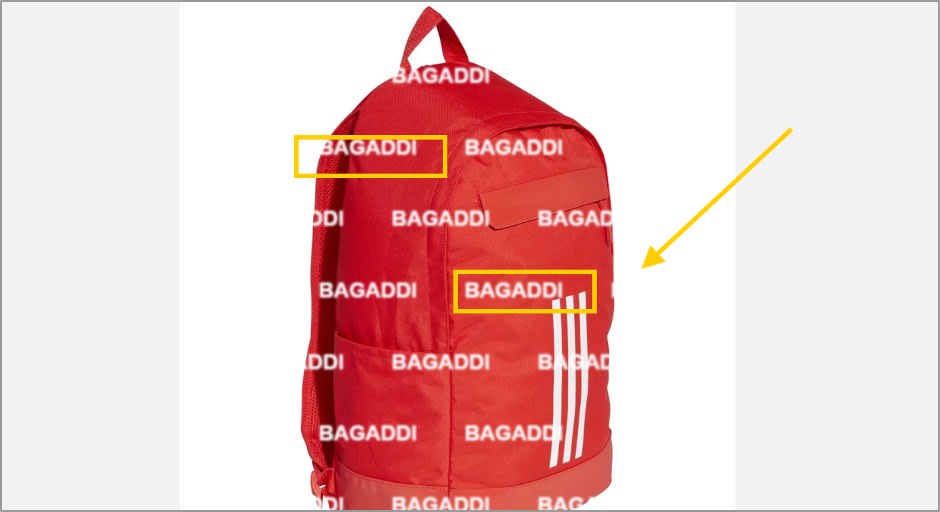
Digital watermarking helps creators add ownership information to their videos and images. Tools like visual watermark allow users to embed digital identifiers into content to help with ownership tracking. Watermarking does not completely stop copying, but it can help creators prove ownership and discourage unauthorized use.
Key Aspects
- It can add a watermark to your content.
- You can crop and resize your content.
- You can download it for free on your laptop or PC.
How to Use?
Step 1: Open https://www.visualwatermark.com/ in your browser and go to More Tools.
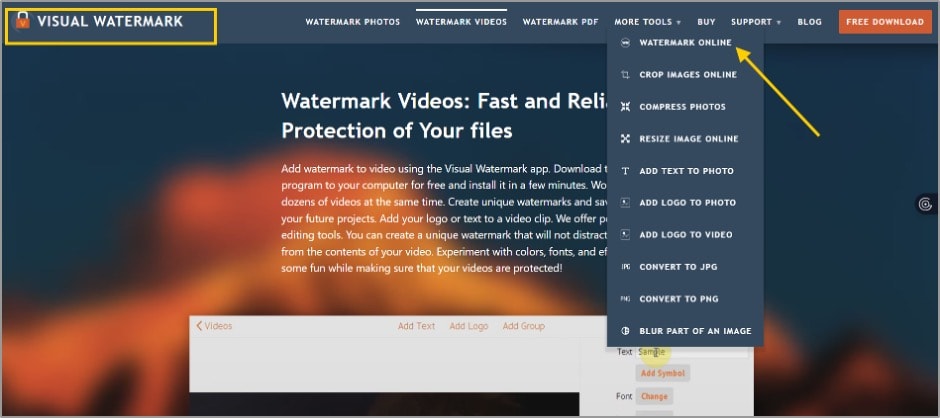
Step 2: Now select the online watermark option.
Step 3: Select a file from your computer and apply the watermark to your content.
Step 4: Now, you can download your content and upload it anywhere with your original watermark.
4. DMCA Protection Tool
DMCA protection is an advanced tool that helps creators respond when their content is used without permission. DMCA provides services that help website owners and creators protect their original work. These services are mainly useful for reporting copied content and managing removal requests.
Key Aspects
- Helps submit DMCA takedown requests.
- Supports copyright protection processes.
- Helps identify unauthorized use of content.
- Provides tools for content ownership protection.
How to Use?
Step 1: Create your account on https://www.dmca.com.
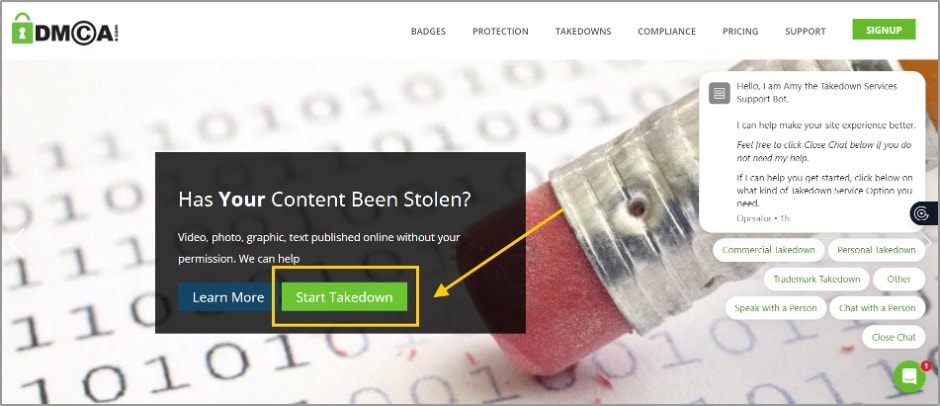
Step 2: Now select a badge for your content. And now upload your material.
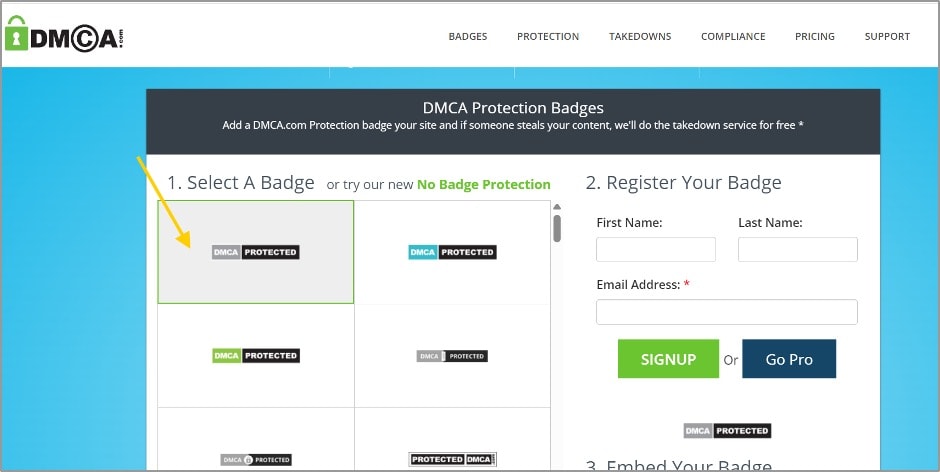
Step 3: If you witness someone misusing your content, you can submit a takedown request.
5. YouTube Copyright Match Tool
The YouTube copyright match tool helps eligible creators find videos that appear to match their original uploads. It is designed to help creators identify possible reuploads on YouTube. Further, this tool can help you remove the video that someone copied.
Key Aspects
- Finds matching videos on YouTube.
- Helps identify reuploaded content.
- Shows possible matches for review.
- Allows creators to decide what action to take.
How to Use?
Step 1: Go to https://studio.youtube.com/ on your mobile or laptop.
Step 2: Now, go to the content detection section.
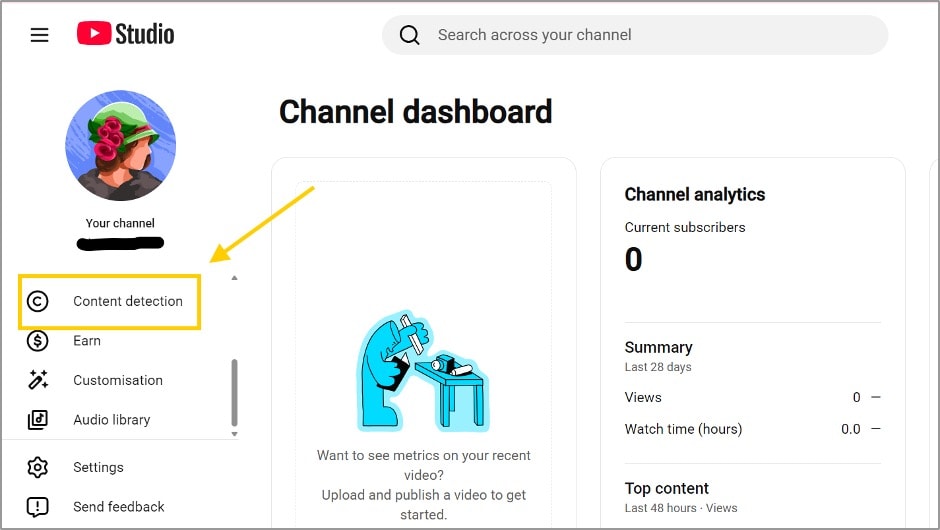
Step 3: After that, click on the new removal request.
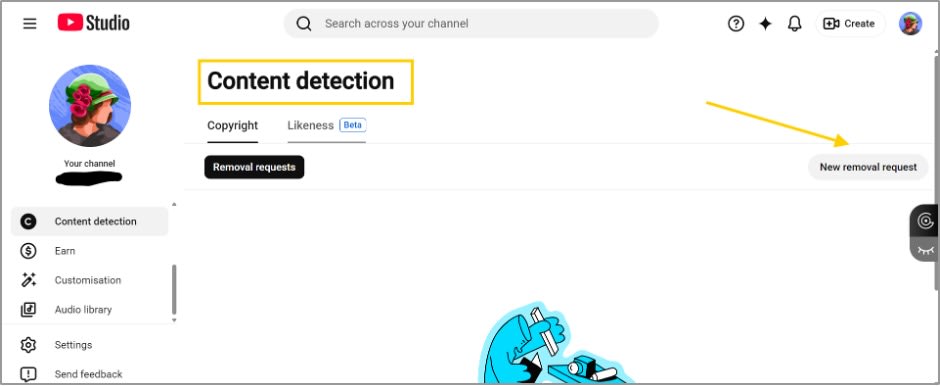
Step 4: Finally, fill out the form and submit it to YouTube.
6. Plagiarism Checker Tool
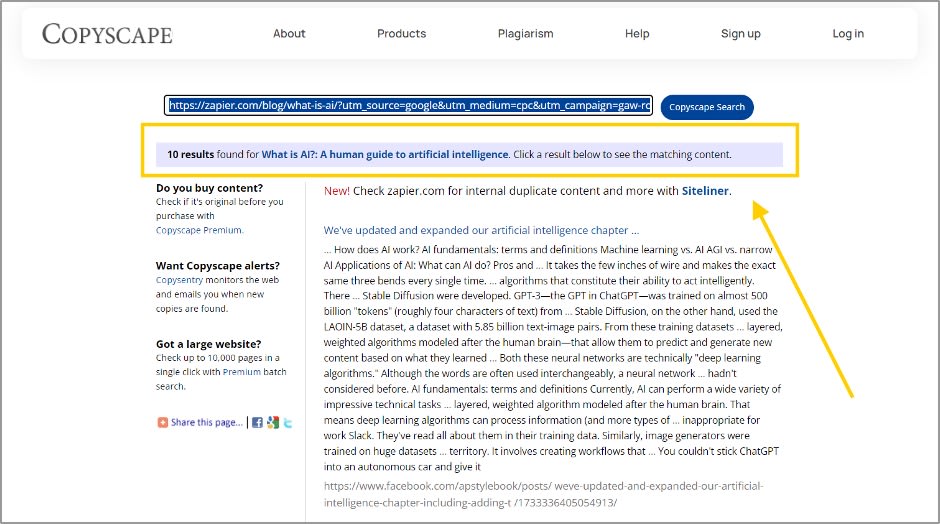
Plagiarism checker tools help creators verify the originality of their written content and identify duplicate text published elsewhere online. This can include video scripts, descriptions, captions, articles, and blog content. For this purpose, Copyscape helps creators check whether their content appears on other websites, making it easier to detect potential copying and protect original work.
Key Aspects
- Detects copied text from online sources.
- Checks written content for originality.
- Helps protect scripts and descriptions.
- Supports original content creation.
How to Use?
Step 1: Paste https://www.copyscape.com/ into your browser's address bar and press Enter.
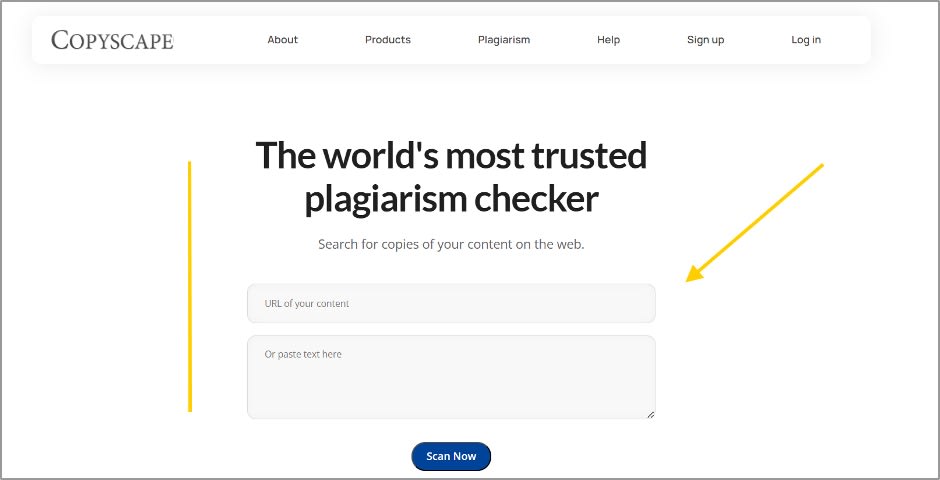
Step 2: After that, copy your web URL or text to check plagiarism.
Step 3: Now, review the result and change the copied section
7. Reverse Video Search
Since videos are often shared across different platforms, creators may not always know when their work is reused. A reverse video search tool helps you to solve this problem by finding similar videos, related clips, and possible reuploads. This can help you to stay informed about how your content is being used online.
Key Features:
- It supports reverse video searches through screenshots, video clips, and video links.
- Allows keyword and transcript-based reverse searches of clips.
- Analyzes visual elements and patterns within videos.
- It will help you to find related clips and reused content.
How to Use?
Step 1: First off, visit https://reverse-videosearch.com.
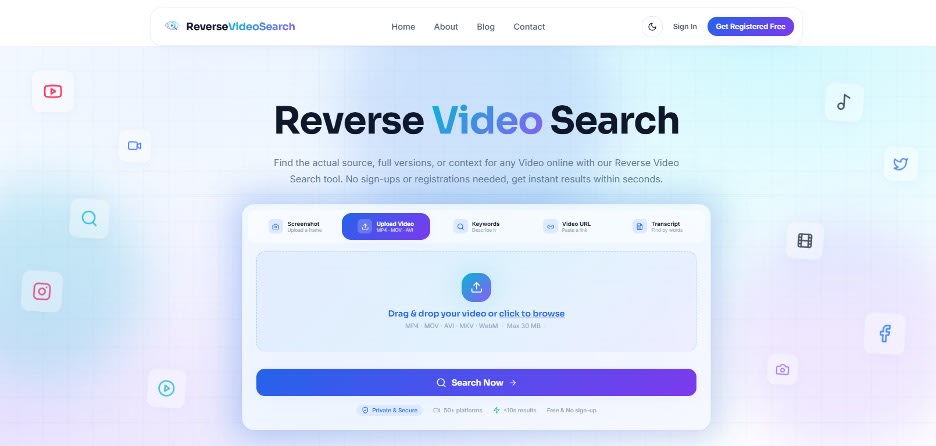
Step 2: Upload your content, then click the search button.
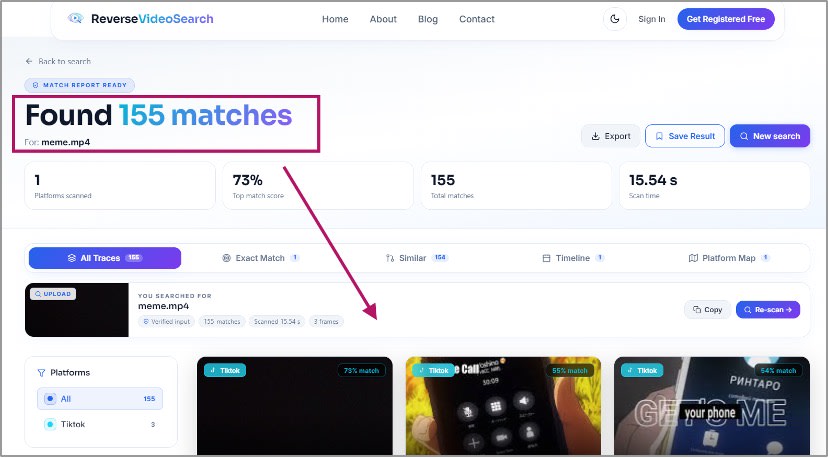
Step 3: Now, it will show you copies of your content along with their sources.
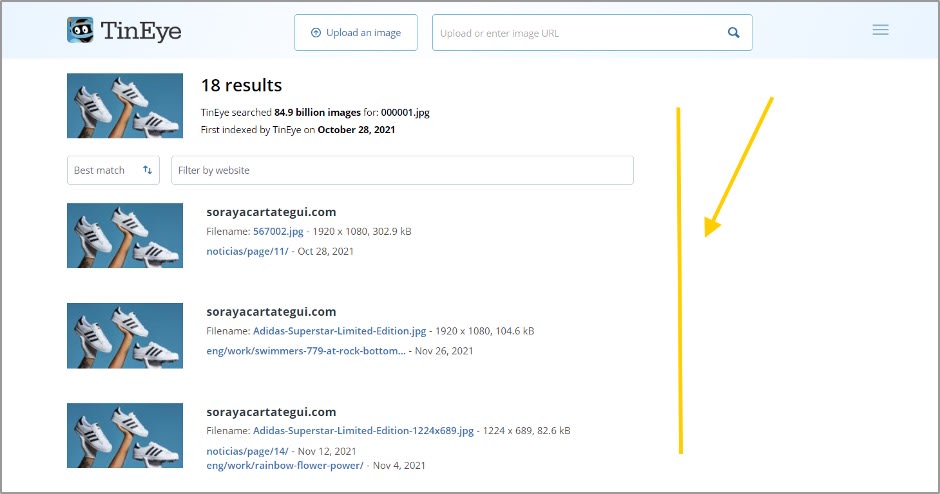
8. Tineye
This tool works on the reverse technique. With this, you can find similar images and videos uploaded on different sources. You can also filter your results with the help of this tool.
Key Aspects
- Helps discover different versions of the same image. It can show whether an image appeared online before or after your upload.
- Allows users to compare matching results from different websites.
- Supports image-based searches without relying on keywords.
- Useful for tracking thumbnail reuse and the distribution of visual content.
How to Use?
Step 1: Go to https://tineye.com/.
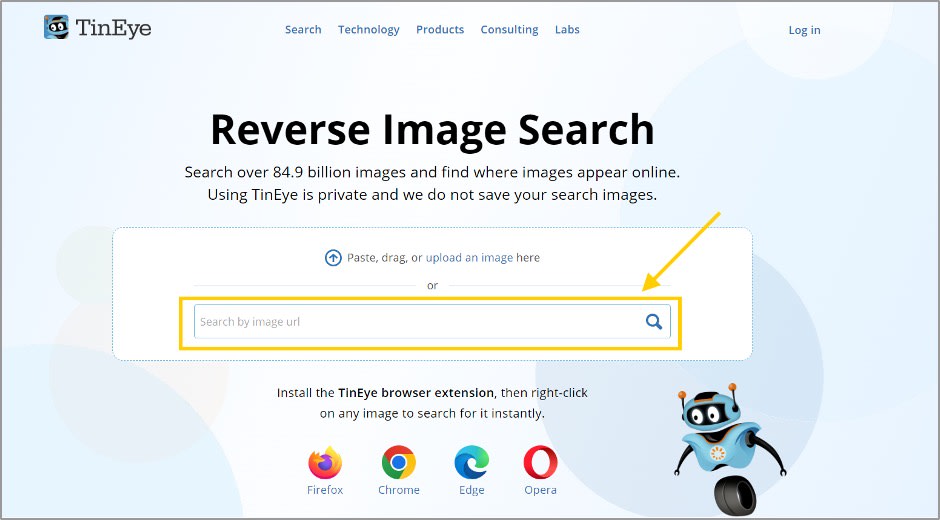
Step 2: Then upload your content’s photo or paste the URL.
Step 3: After pasting the content, click on the search button.
Step 4: After that, you can check the result.
9. Yandex Images
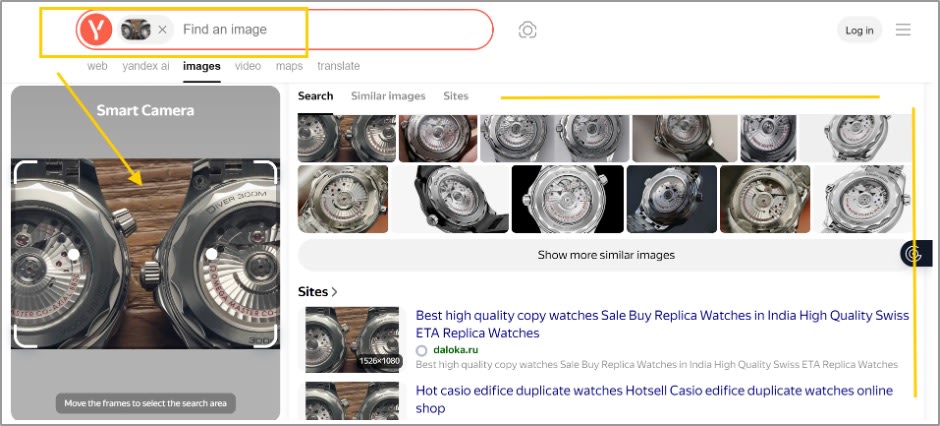
Yandex Images is a tool that helps you find pictures that look like the one you are searching for. You can use Yandex Images to find pictures that are similar to the one you have. For creators, it can be useful when checking thumbnails, screenshots, or other visual assets associated with their content.
Key Features
- It helps you to identify visually related images from different sources.
- It can recognize objects, locations, and other visual elements.
- Helps discover webpages that contain similar images.
- You can use it on both desktops and mobile phones.
How to Use?
Step 1: Open https://yandex.com/images in any browser.
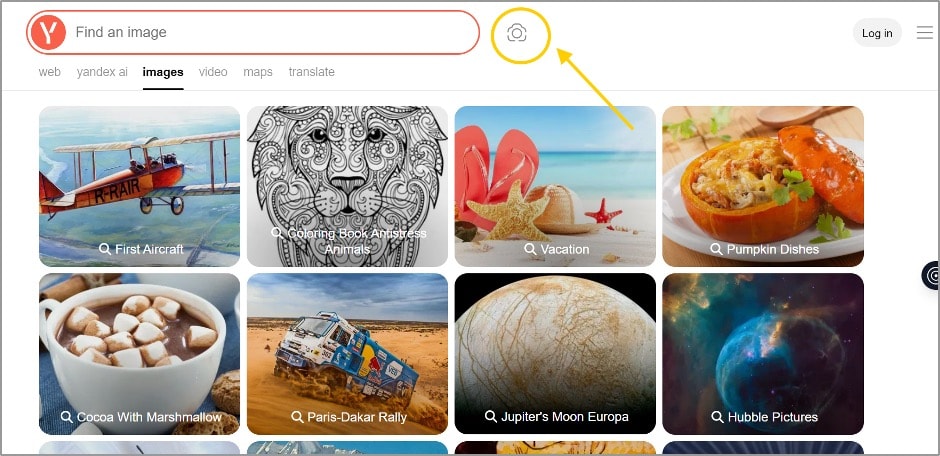
Step 2: Then, click the camera icon and upload your image.
Step 3: Now, let the platform analyse the visual content.
Step 4: After that, you can review the related webpages shown in the result.
Tips to Better Protect Your Video Content
By using protection tools, creators should also follow simple practices to keep their work safer.
- Keep your original project files and raw footage.
- Add watermarks when appropriate.
- Use licensed music and assets.
- Save proof of ownership and publishing dates.
- Monitor your videos after uploading.
- Use platform copyright features.
- Take quick action when unauthorized use is found.
Conclusion
Creating video content requires creativity, effort, and time. It’s not enough to just create quality content in the current tech era. Protecting it has also become crucial. Content protection tools help you to detect copied work, manage copyright issues, and maintain ownership of your videos. Each tool serves a different purpose. If you often publish online videos, adding these tools to your workflow might be a wise, proactive step.
After reading this blog post, you will be able to figure out how to stop others from copying and misusing your content. However, you can focus on creating great content while keeping your work secure by staying aware and implementing these steps.
Want to publish a guest post on aamax.co?
Place an order for a guest post or link insertion today.
Place an Order